You can download the documents within your Disclosure Ready matters at any time.
Create a download #
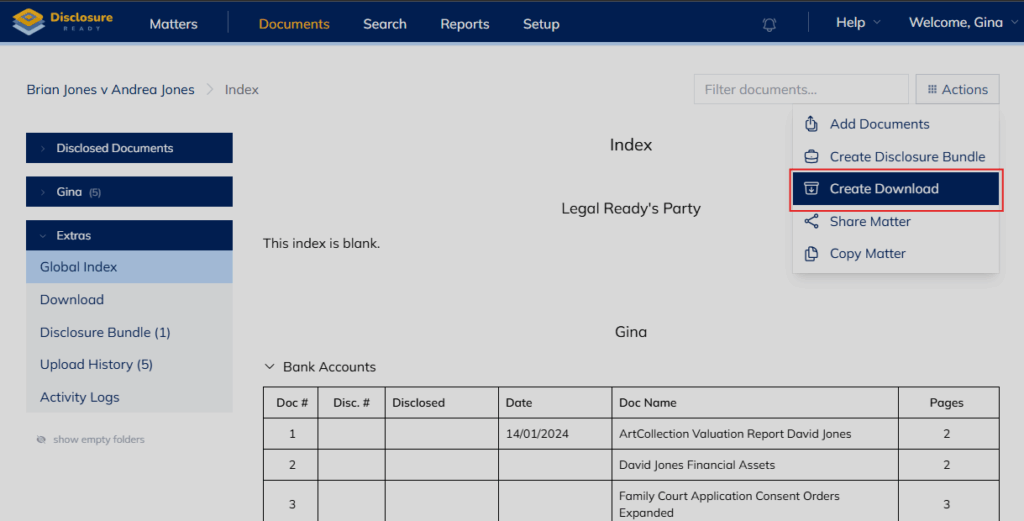
To create a download, go to your matter, click on the “Actions” button and select “Create Download” from the dropdown list.
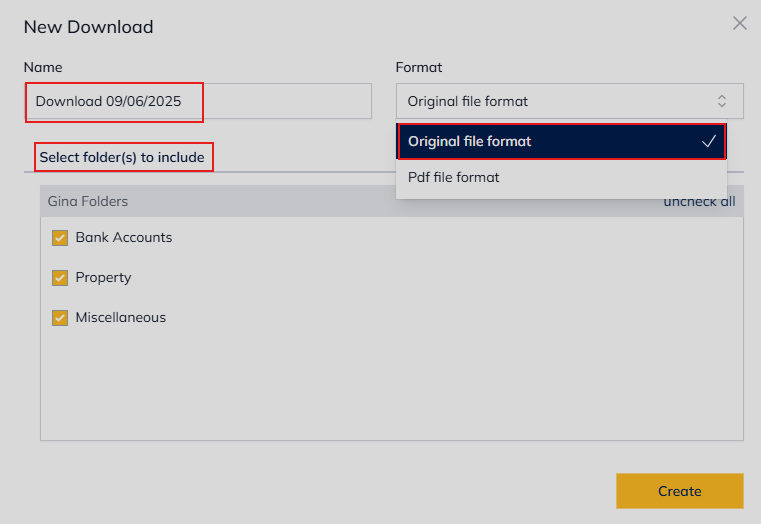
You can name the download, choose whether to download the original file format of the uploaded files or the OCR version that our system has enabled as PDFs. You can also select only specific folders.
Click “Create” for the download to be processed, you will be notified via email once it becomes available.
Sharing a download #
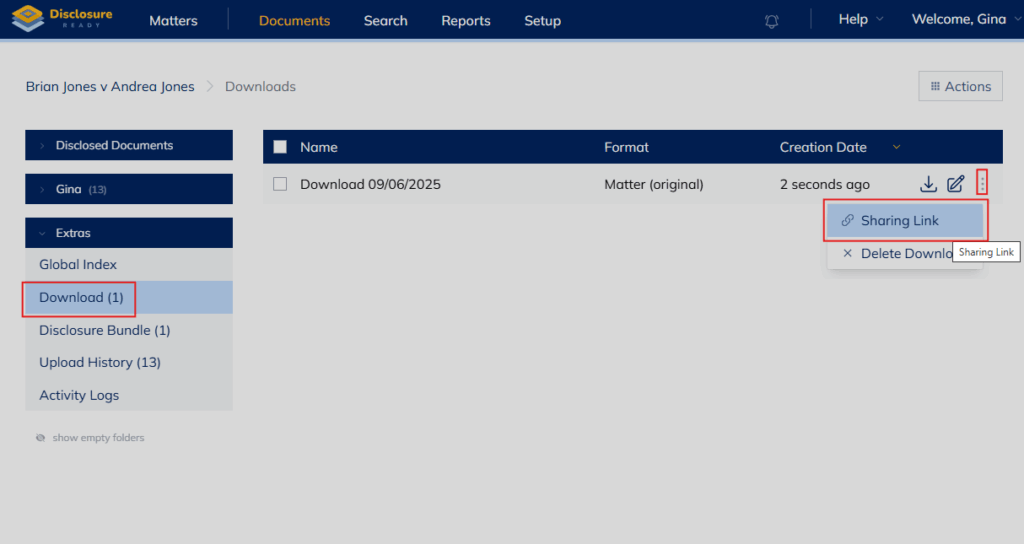
If desired you can also share the download via a sharing link.
Once the download is complete in the Downloads section, select the nominated download and from the right-hand side click on the 3 dots, which will open the sharing options for that download.