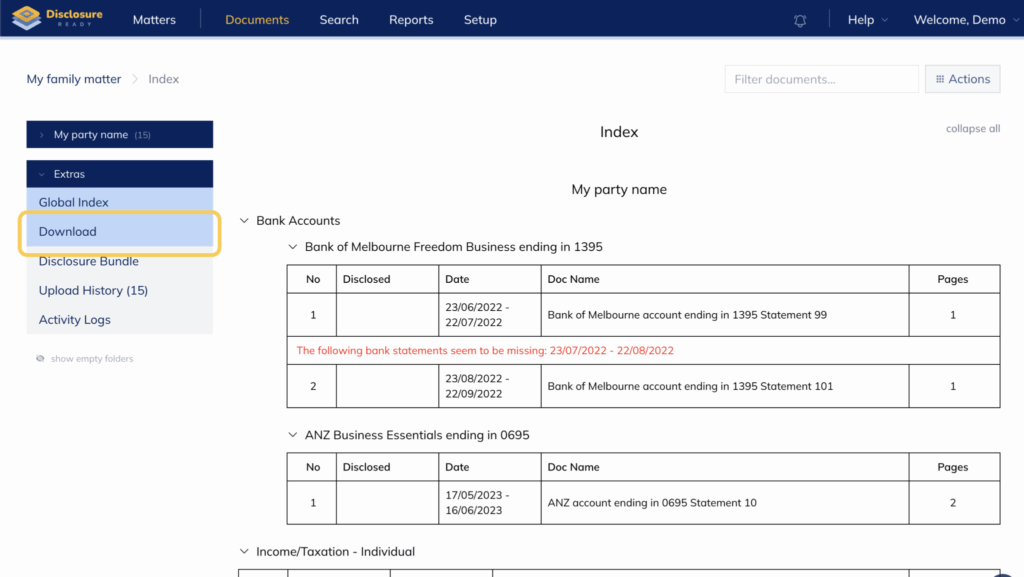
When you generate a “Download” within Disclosure Ready, you have the option to download disclosed documents only and to further limit the download to a specific date range.
1. To begin, open your matter, select “Actions” in the top right corner, and choose “Create Download”.
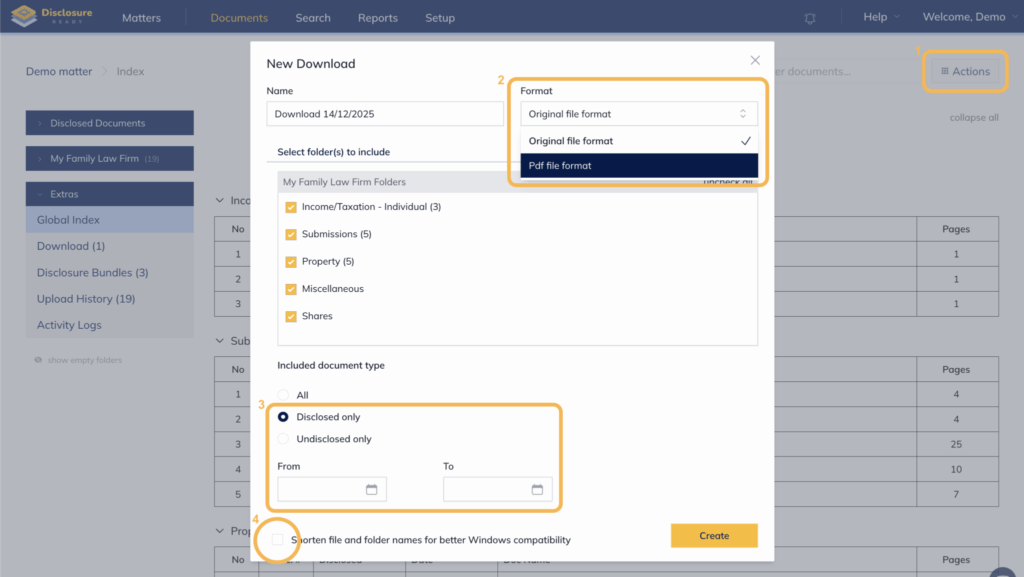
2. Select the download format as a text-readable “PDF file format”.
3. Under the “Included document type”, choose “Disclosed only” and, if desired, specify a disclosure date or date range.
4. For a clearer folder structure in the generated ZIP file, it is recommended to leave the folder-naming option unchecked unless the file names are particularly long.
You will be notified when your download is ready. You can also find all generated downloads under “Extras”, in the “Downloads” section.